MPD Pilot brings MPD control to Apple devices in a way that feels clean, practical, and comfortable to use every day. It is built for people who want quick access to their music library, reliable playback control, and support for MPD-based setups. It fits especially well with self-hosted music libraries, hi-fi systems, and multi-room listening at home. Below is a closer look at the features that make MPD Pilot a useful companion for your MPD server.
Clear, Accessible Interface
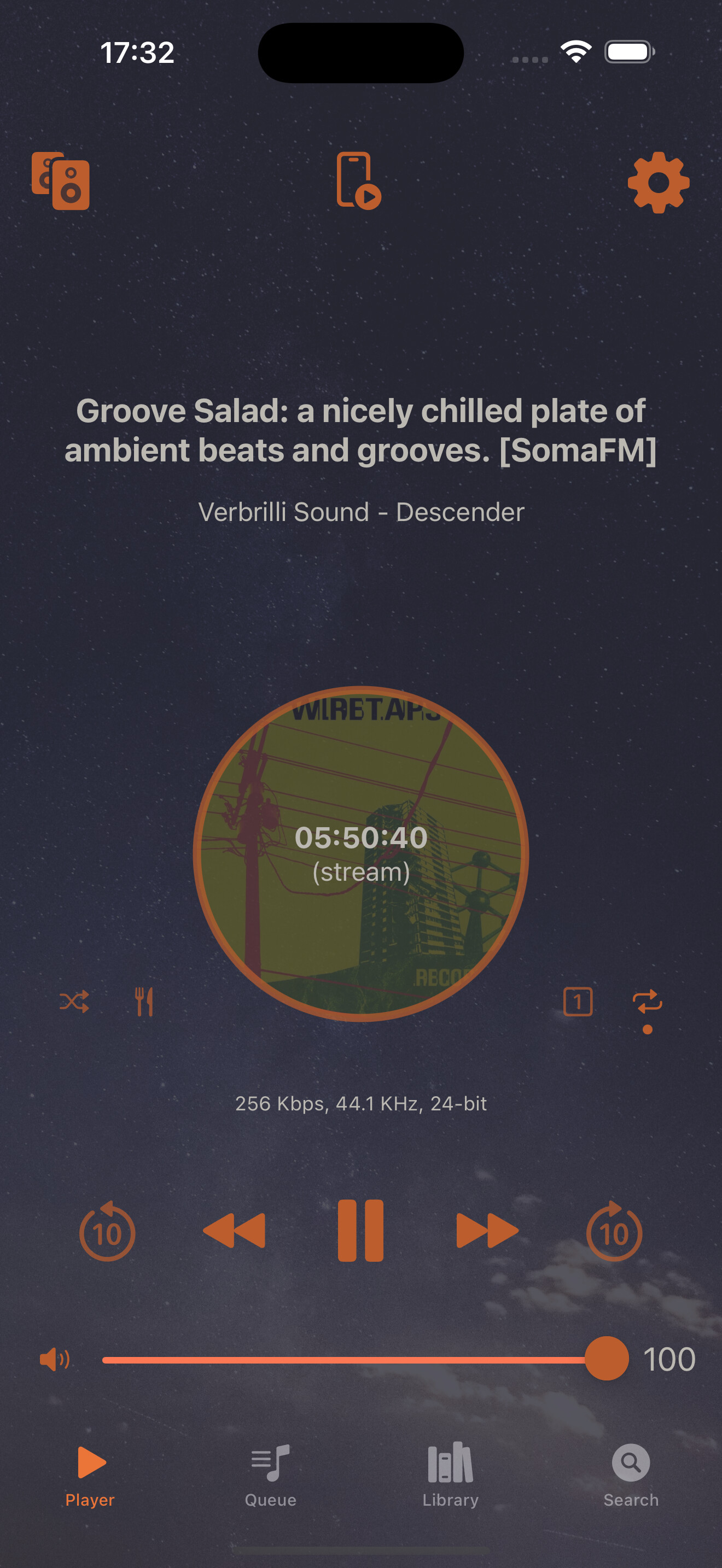
MPD Pilot’s interface is designed to stay clear and approachable, whether you are browsing your library or adjusting playback. It supports both light and dark themes, puts accessibility first, and is currently available in 12 languages.
The layout is organized to keep common actions close at hand, without crowding the screen. Text and controls are easy to read, and the app is comfortable to use for longer listening sessions.
The goal is simple: less friction between you and your music.
Effortless Setup
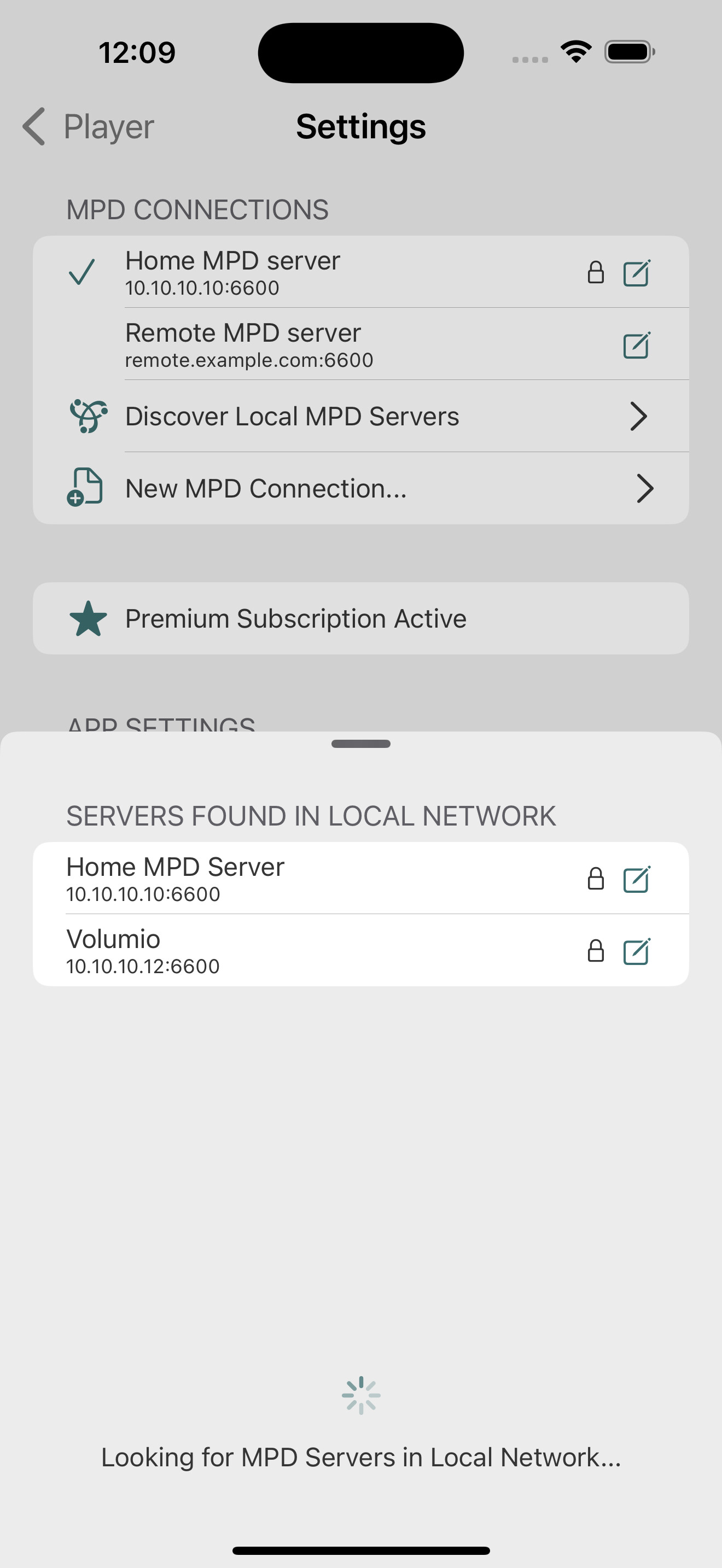
MPD Pilot keeps setup straightforward. The app uses Bonjour to discover MPD servers on your local network automatically, so getting started usually takes only a few taps.
It can connect not only to MPD servers, but also to popular MPD-based solutions such as Mopidy (with MPD extension), OwnTone, Volumio, MoOde Audio, Bryston, and Chord Poly.
If you use more than one server, MPD Pilot lets you save multiple connections and switch between them easily.
Playback Controls
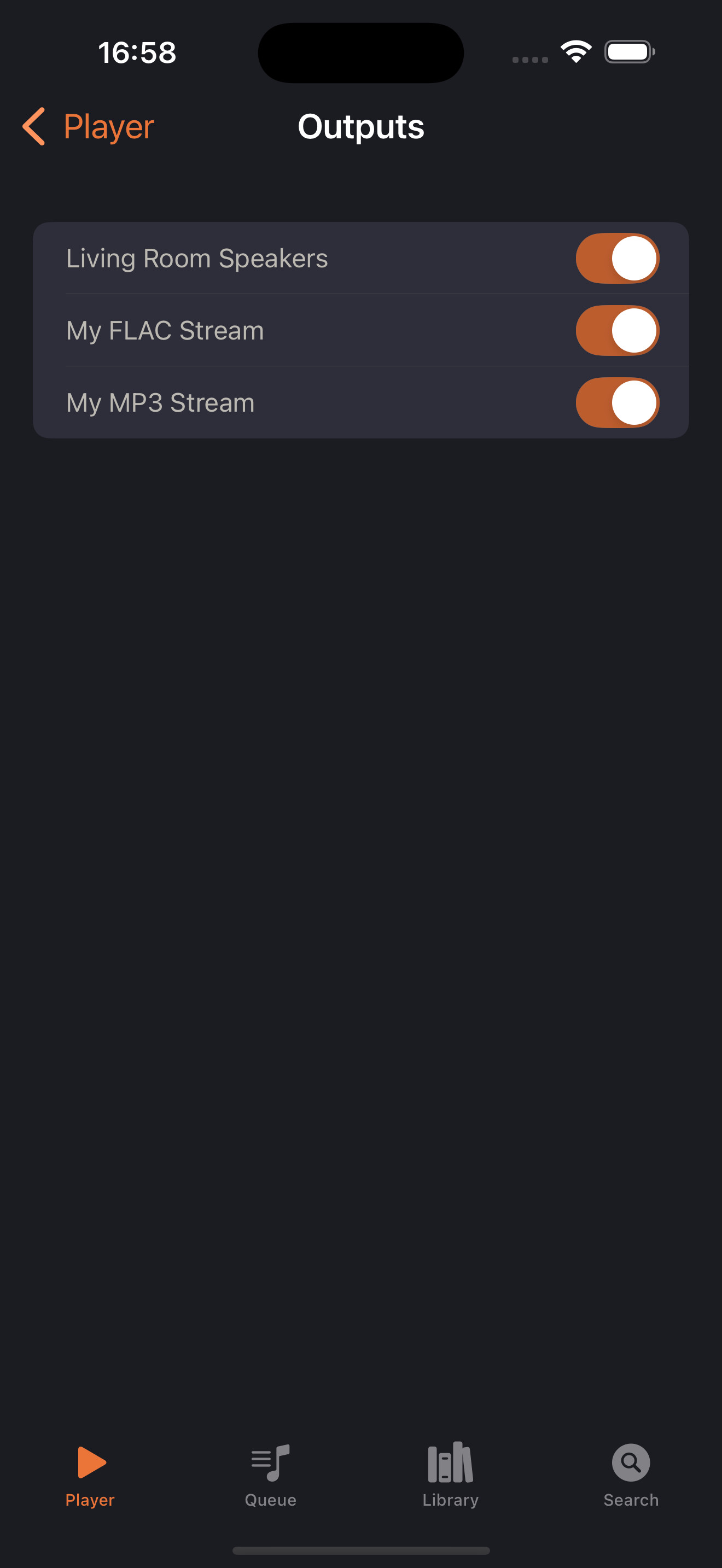
MPD Pilot includes the playback controls you expect:
- Play, pause, and stop your music, skip forward and back
- Control volume smoothly
- Manage MPD outputs
It also supports advanced MPD modes such as repeat, shuffle, consume, and single mode. These settings are easy to reach when you need them, without overwhelming the main playback screen.
You can also enable notifications for song changes, so it is easy to keep track of what is playing even while using other apps.
Music Library Management
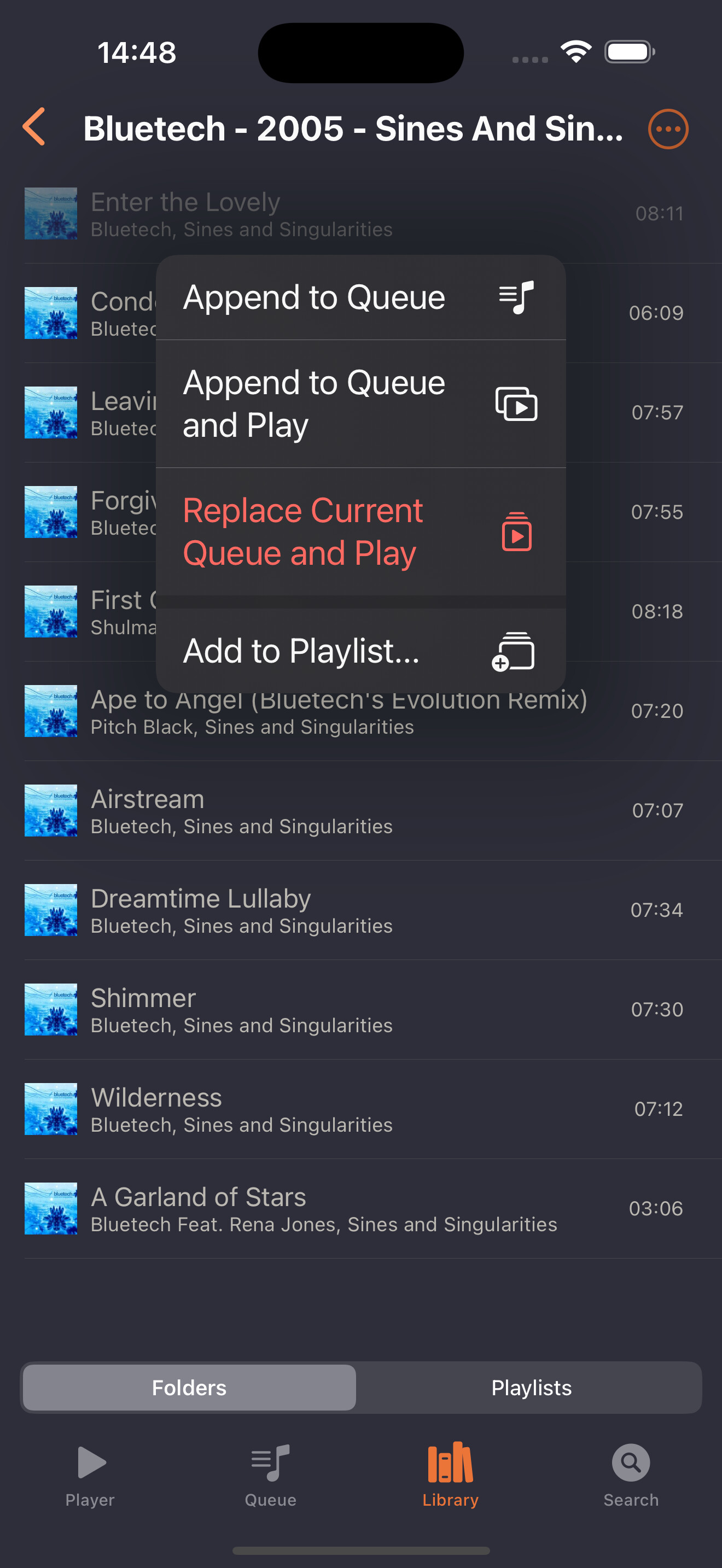
MPD Pilot gives you several ways to move through your library.
Use the familiar folder browser, or switch to artist and album views when that fits your collection better. Album cover art can be displayed from your MPD collection or fetched from third-party sources.
The built-in search helps you find songs, albums, and artists quickly. You can also manage stored playlists directly in the app and come back to them whenever you like.
Local Playback on Device
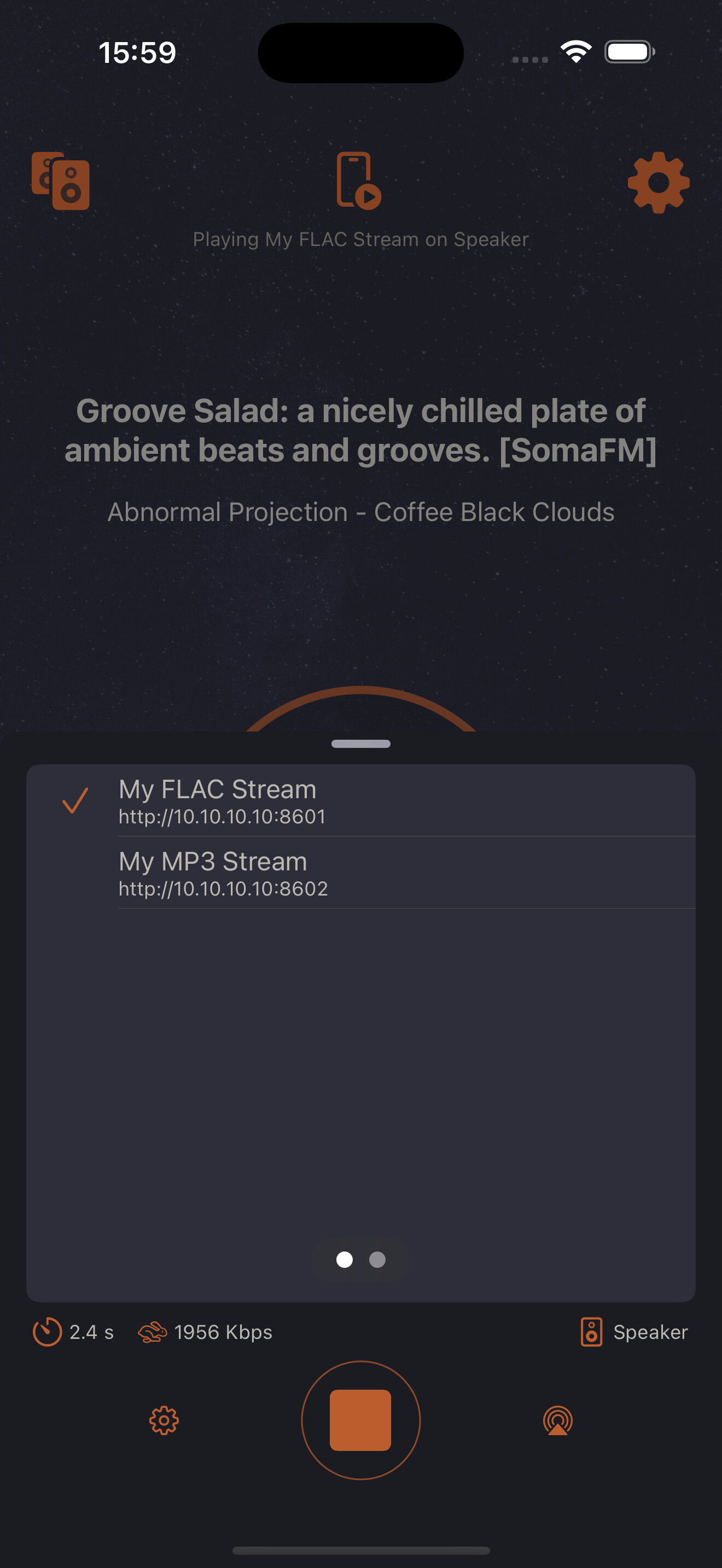
MPD Pilot can play music directly on your iOS device, so it can work not only as a controller but also as a local playback client.
You can choose where that audio goes. Listen on your iPhone or iPad, send it to AirPlay speakers at home, switch to Bluetooth headphones when you head out, or use CarPlay while driving. That makes it possible to take the same music from your home MPD setup into everyday situations such as commuting, traveling, or listening at the gym.
The app supports a wide range of formats, including FLAC, MP3, OPUS, and Vorbis. It also supports regular HTTP streams as well as Snapcast local playback for synchronous multi-room audio setups.
Background playback is well supported, and MPD Pilot also works with remote media controls such as play, pause, next, and previous. Track details and playback controls remain available through iOS’s Now Playing screen, including on the lock screen.
Support for Multiple Devices
While MPD Pilot was originally designed for iPhone, it also supports iPad, macOS, and visionOS. That makes it possible to use the app across multiple Apple devices while keeping a familiar experience.
Support for iPad, macOS, and visionOS is still being refined, so some parts of the experience may feel more complete on iPhone today. Even so, these platforms are already useful and continue to improve.
Note that MPD Pilot requires iOS 15.0 or higher.
 - 2024-11-07 at 15.43.02.jpg)
 - 2025-05-15 at 18.12.06.jpg)
 - 2024-11-07 at 15.44.52.jpg)
 - 2025-05-15 at 18.11.23.jpg)
 - 2024-11-07 at 15.45.49.jpg)
 - 2025-05-15 at 18.11.39.jpg)